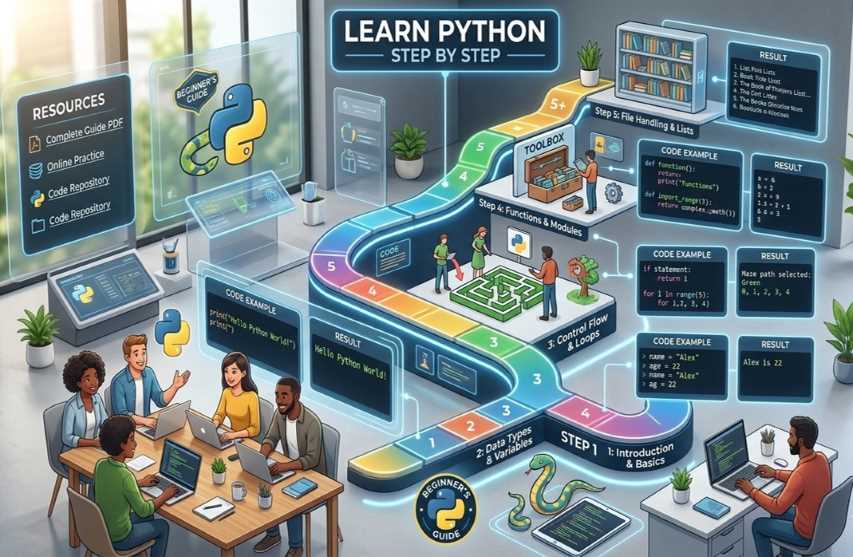
Welcome to this detailed, beginner-friendly guide to learning Python! Python is one of the most popular programming languages in the world because it is simple, readable, and powerful. It is used for web development, data science, automation, artificial intelligence, machine learning, scientific computing, and much more.
This guide is structured step by step, with:
Clear descriptions of each concept
Real code examples you can copy and run
Expected results (output) shown exactly as it appears on your screen
Tips and best practices
You can follow along by typing the code into a Python environment (we’ll cover setup first). Let’s begin!
Step 1: What is Python and Why Learn It?
Description: Python was created by Guido van Rossum and released in 1991. It emphasizes code readability with English-like syntax and indentation (no curly braces like other languages). Python is interpreted (code runs line by line) and supports multiple programming paradigms (procedural, object-oriented, functional).
Why learn Python?
Easy to read and write — great for beginners
Huge community and thousands of free libraries (e.g., NumPy, Pandas, Django, Flask)
High demand in jobs (data analyst, web developer, AI engineer)
Runs on Windows, macOS, Linux
Step 2: Installing Python and Setting Up Your Environment
Go to the official website: python.org/downloads
Download the latest version (Python 3.12 or newer as of 2026).
Important: During installation on Windows, check the box “Add python.exe to PATH”.
On macOS/Linux, Python is often pre-installed. Open Terminal and type python3 --version to check.
Recommended tools:
IDLE (comes with Python — simple editor)
VS Code (free, with Python extension)
Online: Replit.com or Google Colab (no installation needed)
Test your installation: Open your terminal/command prompt and type:
Bash python --version |
You should see something like: Python 3.12.3
Step 3: Your First Python Program – “Hello, World!”
Description: Every programming language starts with a “Hello, World!” program. In Python, we use the built-in print() function to display text.
Example Code (save as hello.py or run in IDLE):
Python # This is a comment — Python ignores everything after # print("Hello, World!") print("Welcome to Python learning!") |
How to run:
In terminal: python hello.py
Or press F5 in IDLE
Expected Result:
text
Hello, World!
Welcome to Python learning!
Step 4: Variables and Data Types
Description: Variables store data. Python is dynamically typed — you don’t need to declare the type. Common data types:
int (integer): whole numbers
float (floating-point): decimals
str (string): text
bool (boolean): True or False
Example Code:
Python name = "Alice" # string age = 25 # integer height = 5.7 # float is_student = True # boolean
print("Name:", name) print("Age:", age) print("Height:", height) print("Is student?", is_student)
# Check data types print(type(name)) # <class 'str'> print(type(age)) # <class 'int'> |
Expected Result:
text
Name: Alice
Age: 25
Height: 5.7
Is student? True
<class 'str'>
<class 'int'>
Tip: Use descriptive variable names (e.g., user_age instead of x).
Step 5: Basic Operators and User Input
Description: Operators perform calculations or comparisons.
Arithmetic: +, -, *, /, // (floor division), % (modulo), ** (exponent)
Comparison: ==, !=, >, <, >=, <=
Logical: and, or, not
Getting input from the user uses input().
Example Code:
Python num1 = int(input("Enter first number: ")) num2 = int(input("Enter second number: "))
sum_result = num1 + num2 product = num1 * num2 power = num1 ** 2
print(f"{num1} + {num2} = {sum_result}") print(f"{num1} * {num2} = {product}") print(f"{num1} squared = {power}")
|
Sample Run (if user enters 5 and 3):
text
Enter first number: 5
Enter second number: 3
5 + 3 = 8
5 * 3 = 15
5 squared = 25
Step 6: Conditional Statements (if-elif-else)
Description: Conditionals let your program make decisions based on conditions.
Example Code:
Python age = int(input("Enter your age: "))
if age < 18: print("You are a minor.") elif age >= 18 and age < 65: print("You are an adult.") else: print("You are a senior citizen.") |
Sample Result (age = 25):
text
You are an adult.
Step 7: Loops – for and while
Description: Loops repeat code. for is great for iterating over sequences; while runs until a condition becomes false.
for loop example (counting):
Python print("Counting from 1 to 5:") for i in range(1, 6): # range(start, stop) — stop is exclusive print(i) |
Expected Result:
text
Counting from 1 to 5:
1
2
3
4
5
while loop example:
Python count = 0 while count < 3: print("Hello loop!", count) count += 1 # same as count = count + 1 |
Expected Result:
text
Hello loop! 0
Hello loop! 1
Hello loop! 2
Step 8: Functions
Description: Functions are reusable blocks of code. They make programs organized and modular.
Example Code:
Python def greet(name, age=20): # age has a default value print(f"Hello {name}! You are {age} years old.")
def add_numbers(a, b): return a + b
# Calling functions greet("Bob") greet("Alice", 30)
result = add_numbers(7, 8) print("Sum is:", result) |
Expected Result:
text
Hello Bob! You are 20 years old.
Hello Alice! You are 30 years old.
Sum is: 15
Step 9: Data Structures
Lists (ordered, changeable)
Python fruits = ["apple", "banana", "cherry"] fruits.append("orange") print(fruits) print("First fruit:", fruits[0]) print("Length:", len(fruits)) |
Result:
text
['apple', 'banana', 'cherry', 'orange']
First fruit: apple
Length: 4
Tuples (ordered, unchangeable)
Python coordinates = (10, 20) print(coordinates[1]) # 20 |
Dictionaries (key-value pairs)
Python student = { "name": "Emma", "age": 22, "grades": [85, 90, 78] } print(student["name"]) student["age"] = 23 print(student) |
Result:
text
Emma
{'name': 'Emma', 'age': 23, 'grades': [85, 90, 78]}
Sets (unordered, unique items)
Python unique_numbers = {1, 2, 2, 3} print(unique_numbers) # {1, 2, 3} |
Step 10: String Manipulation
Description: Strings are sequences of characters. Python has powerful built-in methods.
Example:
Python text = " Python is FUN! " print(text.lower()) print(text.strip()) # removes spaces print(text.replace("FUN", "awesome")) print("is" in text) |
Result:
text
python is fun!
Python is FUN!
Python is awesome!
True
Step 11: File Handling
Description: Python can read from and write to files easily.
Example (create and read a file):
Python # Write to file with open("notes.txt", "w") as file: file.write("Hello from Python!\n") file.write("Learning is fun.")
# Read from file with open("notes.txt", "r") as file: content = file.read() print(content) |
Expected Result (content of notes.txt):
text
Hello from Python!
Learning is fun.
Step 12: Exception Handling (Error Management)
Description: try-except prevents your program from crashing on errors.
Example:
Python try: number = int(input("Enter a number: ")) result = 100 / number print("100 divided by your number is:", result) except ZeroDivisionError: print("Error: Cannot divide by zero!") except ValueError: print("Error: Please enter a valid number!") |
Step 13: Modules and Packages
Description: Modules are files with reusable code. You import them.
Example (using built-in math module):
Python import math import random
print("Square root of 16:", math.sqrt(16)) print("Random number between 1-10:", random.randint(1, 10)) |
Next Steps After the Basics
Congratulations! You now know the fundamentals of Python.
Continue learning:
Object-Oriented Programming (classes, objects, inheritance)
Libraries: pandas (data analysis), matplotlib (charts), requests (web APIs)
Projects: Build a calculator, to-do list app, web scraper, or simple game
Practice daily on LeetCode, HackerRank, or Codewars
Read the official Python documentation: docs.python.org
Pro tip: Code every day! Start small, break problems into steps, and don’t be afraid to make mistakes — that’s how you learn.
Happy Python learning! 🐍
 |  |  |
 |  |  |